
Swift Backup
- Category:System Tools
- Updated:11 16, 2026
- Rating:8.0
Screenshots
Introduction
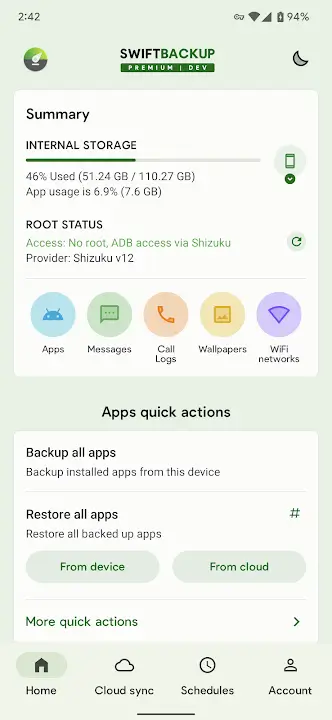
Swift Backup is a powerful Android application designed to efficiently handle data backups on your device. With Swift Backup, users can easily safeguard their applications, SMS messages, call logs, and custom wallpapers. Its most distinctive features include a user-friendly interface and comprehensive backup options, making it ideal for those who prioritize data security. This app ensures that important data is protected through various backup solutions, whether locally or via cloud services, providing peace of mind for Android users.
Comprehensive Data Management Features
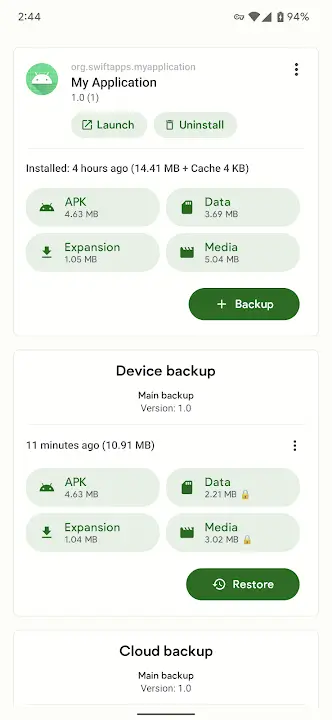
Swift Backup offers an impressive array of data management features for Android users. It allows for the backup and restoration of applications, APK files, and other critical data such as contacts and messages. Many options are available, including local storage, Google Drive, and other cloud platforms such as Dropbox and OneDrive. This multi-platform support ensures flexible and efficient data retrieval and storage, catering to different user preferences. Additionally, the app supports transferring data via secure Wi-Fi networks, promoting ease of use and security.
Efficient Backup and Recovery Solutions
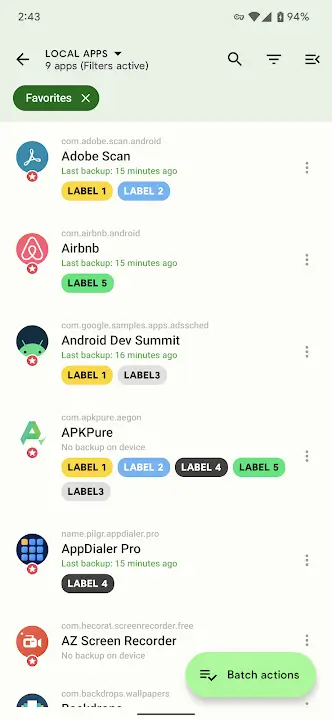
What sets Swift Backup apart is its ability to integrate multiple backup techniques into one seamless process. It streamlines the use of these methods without compromising efficiency, providing a user-friendly experience. Whether you prefer to back up to an SD card or utilize cloud services, Swift Backup accommodates all scenarios. The application simplifies the process of creating backups for various data types, ensuring that data restoration is quick and straightforward. Swift also supports additional features such as APK management and automated backup lists.
Customization and Advanced Options
For users looking for advanced management capabilities, Swift Backup offers a premium subscription. This upgrade provides enhanced features such as advanced backup strategies and greater customization. Users can categorize, restore, and create backups according to their unique needs. The intuitive interface makes it accessible for both novice and experienced users, ensuring that everyone can safeguard their Android device data effectively. Regular updates and seamless cloud integration further enhance the app's utility, making it a reliable tool for long-term data protection.
Perfect for Android Data Security
In conclusion, Swift Backup is a standout application for Android users looking to protect their data efficiently. Its robust backup and restore functionalities make it indispensable for managing both local and cloud-stored information. With a simple press of a button, users can back up essential data, while the intuitive design ensures ease of use. Whether for personal or professional use, Swift Backup is a comprehensive solution for maintaining data security. Interested users should explore its download options to best utilize this powerful backup tool for their Android devices.
```Information
- Size:14.66M
- Language:EN
- Version:5.1.1
- Ratings:8.0
- Vendor:SwiftApps.org.
- Package ID:org.swiftapps.swiftbackup