
Backup & Restore
- Category:System Tools
- Updated:11 17, 2026
- Rating:7.4
Screenshots
Introduction
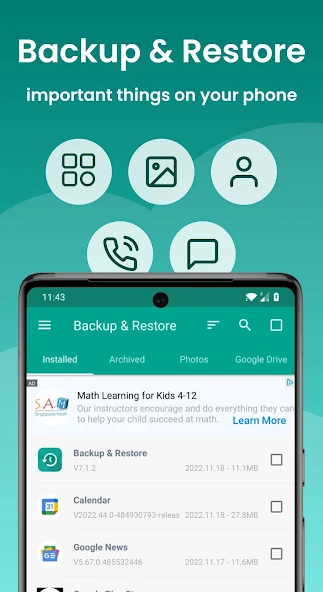
For Android users seeking a reliable method of safeguarding their device data, the Backup & Restore application proves invaluable. As the name suggests, Backup & Restore offers comprehensive tools to manage APK files, allowing you to back up and restore apps efficiently. Whether you're transferring applications between devices or saving precious storage space, this application makes handling APK files straightforward and effective. By catering to users who prefer seamless file management and data protection, Backup & Restore ensures your data isn't lost in digital limbo.
Main Features and Functions
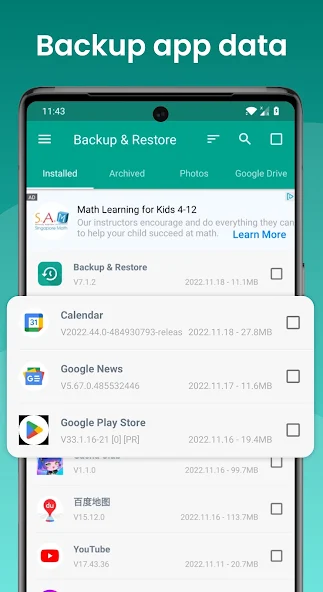
The core capability of Backup & Restore lies in its robust ability to backup and restore APK files of less frequently used applications. This feature helps users conserve valuable phone storage by avoiding unnecessary file accumulation. Additionally, multiple versions of applications can be backed up, thus preventing unwanted updates or changes.
Seamless Data Transmission
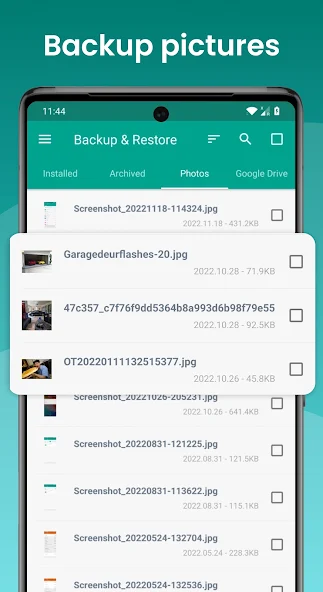
Backup & Restore shines with its efficient data transmission abilities. Whether you are sending or receiving APK files and photos, the app facilitates smooth data transfer between Android devices. Users can harness high-speed wireless transfer capabilities, ensuring that sharing large files is both quick and effortless.
Cloud and Local Storage Options
The app allows for both local and cloud-based backup solutions. With the option to back up and restore data to cloud services such as Google Drive and Dropbox, users can easily retain a secure copy of their data remotely. Additionally, the application supports local backups to SD cards and internal storage, providing flexible data management options.
User Experience
Designed with simplicity in mind, Backup & Restore presents an intuitive interface that makes the process of backing up and restoring files easy for users of all levels. The streamlined design ensures users can quickly navigate through their list of applications, manage backups, and initiate transfers with minimal hassle. Furthermore, the app supports the creation of custom Wi-Fi hotspots for private, secure sharing.
Security and Permissions
Backup & Restore places a strong emphasis on user security. The app requires necessary permissions such as reading Wi-Fi/Bluetooth/GPS to enable its sharing features, and it includes a virus scanning capability to provide additional protection. The application operates within the confines of Google's policies to ensure the user's rights are protected, especially when using foreground service permissions.
Conclusion on Backup & Restore for Android
In conclusion, Backup & Restore is a vital tool for Android users who wish to efficiently manage their application files with ease. It stands out for its convenience in backing up, restoring, and sharing APKs, providing both local and cloud storage capabilities. This ensures that users can maintain organized and secure backups without encountering data loss. For users interested in exploring the full range of features offered by Backup & Restore, visiting trusted sources for download information is recommended.
Information
- Size:8.7M
- Language:EN
- Version:7.7.2
- Ratings:7.4
- Vendor:Trustlook Security Lab
- Package ID:mobi.infolife.appbackup