Blur Photo
- Category:Photo Enhancement
- Updated:11 19, 2026
- Rating:7.4
Screenshots
Introduction
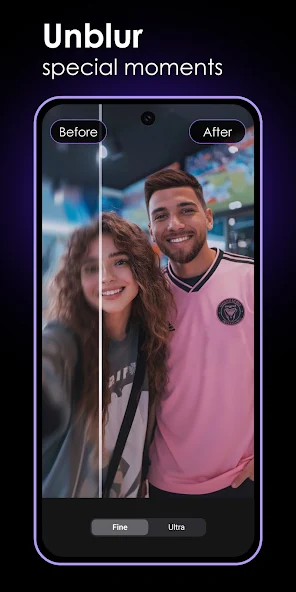
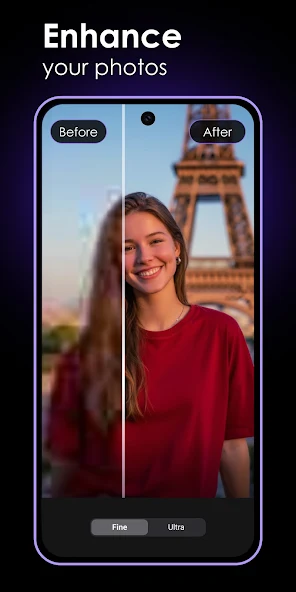
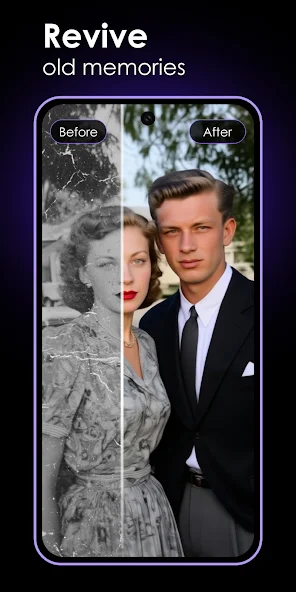
Blur Photo is a versatile Android application designed to enhance your photo editing capabilities with its advanced blurring tools. As a user, you can expect to transform your images using its intuitive interface and robust feature set, making it possible to create high-quality, blurred effect photos easily. Blur Photo offers one-tap auto-blur editing tools, a wide range of creative filters, and the ability to add stunning effects like neon spirals, bokeh, and much more. This application is ideal for users looking to craft professional-grade photos effortlessly.
Advanced Blurring Tools and Effects
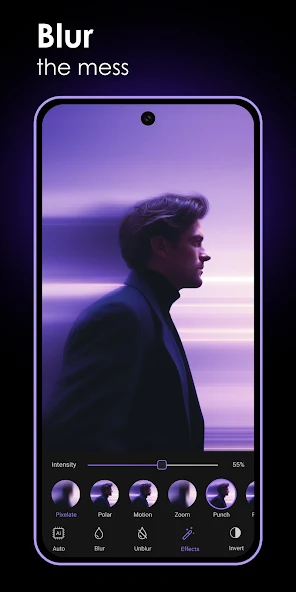
Blur Photo is equipped with a comprehensive set of blurring options such as Motion blur, Box blur, Zoom blur, Gaussian blur, Bilateral blur, and Mosaic blur. These tools make it possible for users to achieve desired effects similar to DSLR-quality photos. Users can further enhance their images using various filters that mimic expert camera techniques, resulting in images with incredible depth and focus.
Creative Filters and Adjustments
For those who wish to enhance their image creatively, Blur Photo offers a vast array of filters and adjustment options. Users can modify brightness, contrast, hue, and saturation to ensure that their photos look perfect. Additionally, the curve control feature facilitates advanced color adjustments, allowing for high customization and creativity in photo editing.
User-Friendly Interface and Connectivity
The Blur Photo application is designed with simplicity in mind. Its easy-to-navigate interface ensures that users, even those new to photo editing, can quickly grasp its functionalities. After editing, users can save their images in high resolution and share them directly on social media platforms to gain more engagement from their network.
Fun and Stylish Effects for Enhanced Editing
The app supports a variety of stylized effects, like neon spirals and awesome dripping effects, that allow users to get creative with their photos. With a selection of geometric shapes and romantic spiral options, such as angel wings and heart formations, users can express artistic flair while having fun enhancing their photos.
Conclusion: Why Choose Blur Photo?
Blur Photo is a solid option for those seeking to elevate their photo editing skills. Its wide range of tools, intuitive interface, and professional-grade results make it appealing to both casual users and photography enthusiasts. By downloading Blur Photo on your Android device, you can explore a diverse suite of editing options designed to enhance and transform your pictures with ease.
Information
- Size:111.91M
- Language:EN
- Version:8.0
- Ratings:7.4
- Vendor:Kite Games Studio Ltd
- Package ID:com.kitegames.blur.photo