Supershift
- Category:System Tools
- Updated:11 23, 2026
- Rating:7.9
Screenshots
Introduction
Supershift is a highly popular shift calendar application designed specifically for Android devices. It assists individuals in professions involving variable schedules—such as nurses, doctors, and shift workers—in efficiently managing their time. With Supershift, users can experience hassle-free planning without the need for an account or internet connection; their schedules are securely stored on the device itself. This convenience, along with features like multiple shift management, custom emojis and colors for easy reference, and full offline accessibility, makes Supershift an ideal choice for those seeking streamlined scheduling solutions.
Comprehensive Shift Management
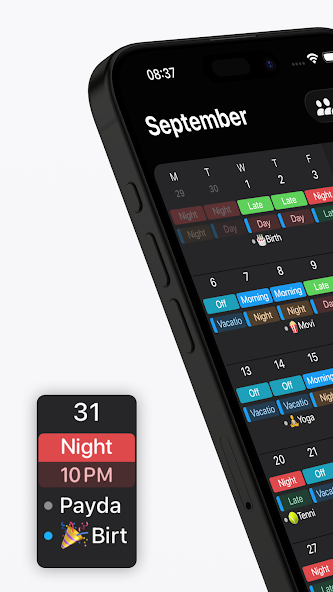
Supershift excels in handling complex shift patterns, accommodating the needs of diverse professionals. Users can effortlessly manage various shift types, including early and late shifts, on-call duties, and split schedules. The app's multiple shift-per-day functionality allows users to synchronize second jobs or additional duties seamlessly. With just a few taps, the rotation patterns can be set well in advance for up to two years, supporting arrangements like 4-on-4-off, DuPont, and many more.
Customization and Offline Ease
Customization is front and center with Supershift. Users can assign unique emojis and colors to different shift types, providing a clear and at-a-glance view of their month. Night-shift workers will appreciate the eye-friendly dark mode while the offline capability ensures access to schedules in any situation, whether in a hospital basement or during a remote fieldwork operation.
Advanced Sharing and Integration Features
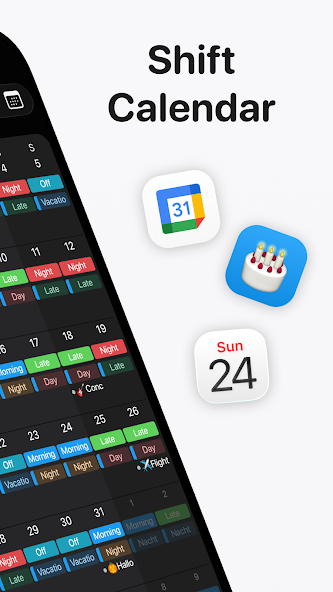
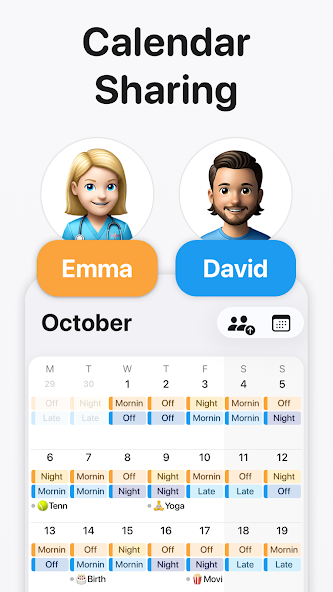
Supershift also fosters seamless communication and collaboration. Users can share their schedules with family or coworkers to facilitate planning and coordination of shift swaps. By integrating with external calendars, the app displays birthdays and appointments alongside shifts. Pro users have access to advanced features like Android Calendar export, PDF exports for a professional calendar presentation, and Cloud Sync for maintaining consistency across multiple devices.
Performance and Reporting Tools
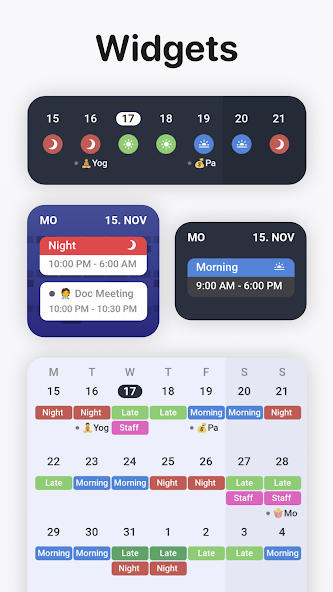
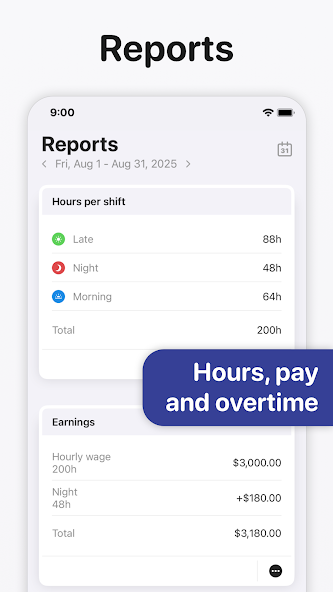
Keeping track of work hours and ensuring payroll accuracy is made simple with Supershift’s reporting tools. It offers detailed tracking of earnings, shift differentials, and overtime, making it easier to verify payroll checks and simplify tax preparations. Home screen widgets keep schedules front and center, ensuring that users never miss an important shift or deadline.
Why Download Supershift for Android?
Supershift is a powerful tool for those in dynamically scheduled professions, offering a comprehensive solution for managing time and shifts efficiently. With its advanced customization options, detailed reporting tools, and robust sharing features, it simplifies the lives of shift workers by providing a central platform to manage both professional and personal schedules. Whether you are looking to streamline your scheduling or gain deeper insights into your work patterns, Supershift is worth exploring for its user-friendly interface and practical features. Discover Supershift APK for Android today to optimize your workflow and improve your organizational efficiency.
Information
- Size:61.49M
- Language:EN
- Version:2026.25
- Ratings:7.9
- Vendor:Supershift GmbH
- Package ID:app.supershift