iMarkup
- Category:System Tools
- Updated:11 17, 2026
- Rating:7.6
Screenshots



Introduction
For those looking for a robust photo-editing tool on Android, iMarkup presents an ideal solution. This easy-to-use and powerful application provides a comprehensive suite of annotation features perfect for enhancing and personalizing your images. Whether you're cropping, adding text, or applying creative effects, iMarkup delivers high-quality results in a compact package. With its versatility and efficiency, this app is a valuable companion for Android users who frequently work with images.
Rich Annotation Tools
iMarkup is equipped with an array of annotation tools that cater to all your photo editing needs. Users can crop and rotate images in various shapes such as rectangles, stars, and triangles to fit any creative vision. For more focused edits, the Spotlight tool highlights essential information while the Blur function pixelates sensitive areas. The app also features a Magnifier to zoom into specific sections, adding precision to your edits. Diversify your images with emoji stickers or stylized text to make them truly stand out.
Stitching and Splitting Images
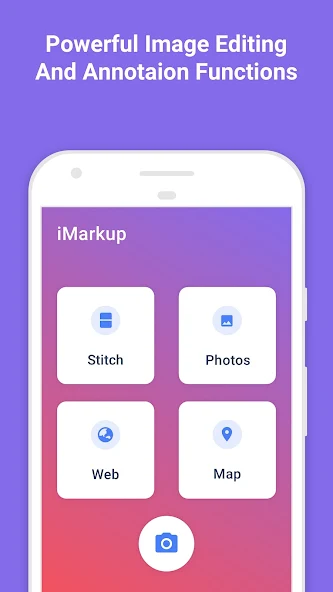
This feature-rich application allows you to stitch multiple photos into seamless panoramic images or split them into smaller, manageable pieces. This comes in handy for sharing or archiving purposes, catering to both horizontal and vertical splits. The long image splitting ensures easy and precise segmentation, enhancing usability for users who deal with extensive screenshots or images.
Convert Images to PDF
iMarkup is not just about visual enhancements; it extends its capabilities to document creation. Users can seamlessly convert one or more images into a cohesive PDF document, perfect for archiving or sharing through email. This batch processing capability simplifies the workflow, making it an indispensable tool for professionals and casual users alike.
Effortless Webpage and Map Annotation
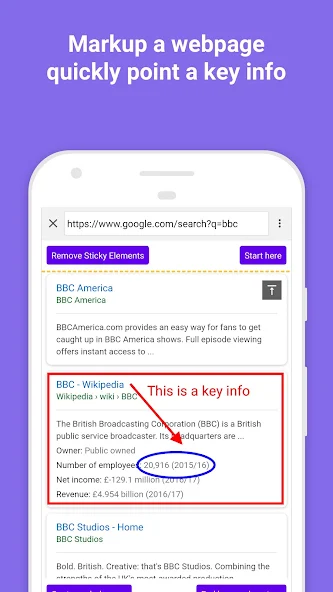
In addition to photo editing, iMarkup supports webpage and map annotations. This feature is ideal for sharing ideas or providing directions, allowing users to make notations directly on web pages or map screenshots. The flexibility of iMarkup's sharing options ensures your annotated images are easy to distribute to friends or colleagues.
Conclusion: Discover iMarkup's Versatility
iMarkup is a versatile photo markup tool that stands out for its comprehensive editing capabilities, flexible storage options, and user-friendly interface. Android users who value efficiency and high-quality image modifications will find this app particularly compelling. Whether for professional or personal use, iMarkup offers the creativity and utility needed to enhance any photo viewing experience. Interested users can explore the download options for iMarkup APK and elevate their image editing on Android.
```Information
- Size:17.62M
- Language:EN
- Version:1.4.0.8
- Ratings:7.6
- Vendor:Winterso Team
- Package ID:com.winterso.markup.annotable