MacroDroid
- Category:System Tools
- Updated:11 19, 2026
- Rating:8.8
Screenshots
Introduction
Are you tired of repetitive manual tasks on your Android device? MacroDroid might just be the solution you've been seeking. This dynamic Android application is designed to simplify daily activities by automating functions on your smartphone. MacroDroid allows users to efficiently manage their devices, offering seamless automation for a variety of tasks. From enhancing productivity to optimizing device functionality, MacroDroid provides tools that transform how you interact with your Android, making it an very useful tool for those looking to streamline their digital workflow.
Main Features and Functions
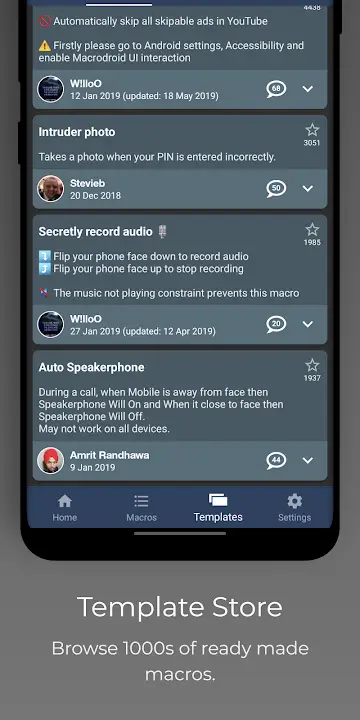
MacroDroid is packed with features that make device automation a breeze. You can create up to five unique macros with the free version, automating tasks such as activating Bluetooth when entering your car or turning on Wi-Fi at home. The app boasts over 70 triggers, from location-based like GPS to connectivity triggers such as Bluetooth and Wi-Fi. It supports sensor triggers too, detecting actions like shaking or changes in light levels to initiate pre-set tasks. These options offer a broad spectrum of personalized automation possibilities.
Practical Applications
The practical applications of MacroDroid are virtually limitless. For those who travel, the app's data-off feature can significantly reduce roaming costs by managing data usage smartly. Commute with ease using the app’s text-to-speech tool, which reads notifications aloud to keep you informed without distractions. The ability to automate email and SMS responses also ensures you stay connected effortlessly. Furthermore, customizable sound profiles enhance your commute and ensure safety, while timing tools help maintain productivity at work.
User Experience and Customization
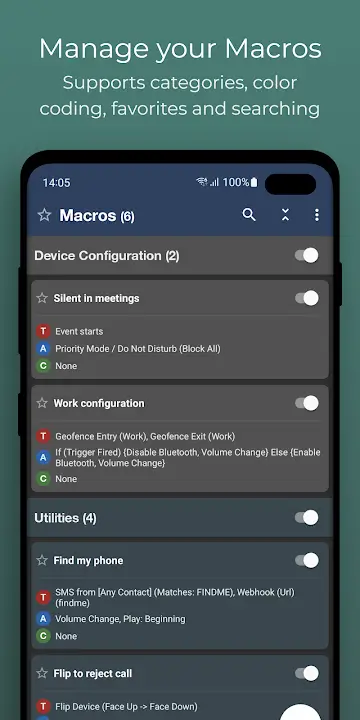
MacroDroid is celebrated for its user-friendly interface and customization options. Whether you're new to automation or a seasoned user, the app's easy-to-navigate layout makes setting up macros straightforward. The special wizard helps in crafting your first macros, ensuring an effortless learning curve. Moreover, with over 50 restriction types available, you can fine-tune your macros to activate at specific times, providing unmatched precision and control over your automation needs.
Enhancements and Compatibility
The application is compatible with Tasker and Locale plugins, significantly enhancing its capabilities and allowing for even more sophisticated automation sequences. The integration of these plugins expands your ability to further customize and optimize your Android experience. Whether you’re looking to automate simple tasks or create complex conditional workflows, MacroDroid’s compatibility with these tools ensures that you can push the boundaries of what your device can do.
Conclusion: Unlock New Levels of Automation
MacroDroid stands out as a top choice for Android users interested in harnessing the power of automation. Its comprehensive suite of features not only boosts productivity but also elevates user convenience, making daily tasks simpler and more efficient. Users can explore endless possibilities with both the free and Pro versions, the latter offering an ad-free experience and unlimited macros. For those ready to redefine how they use their smartphones, MacroDroid is a compelling download. Delve into the world of automation and transform your Android experience today!
Information
- Size:87.36M
- Language:EN
- Version:6.1.5
- Ratings:8.8
- Vendor:ArloSoft.
- Package ID:com.arlosoft.macrodroid