NokoPrint
- Category:Photo Enhancement
- Updated:11 19, 2026
- Rating:6.1
Screenshots
Introduction
In an age where digital convenience is pivotal, NokoPrint stands out as an essential Android application for users who desire to print documents straight from their mobile devices. By catering to a wide array of printing needs — from photos to crucial documents — NokoPrint simplifies the printing process, avoiding the hassle of transferring files to a computer. Android device users will find it particularly interesting due to its seamless compatibility with various printer types and connections, making it a versatile tool to have on the go.
Main Features and Functions
NokoPrint offers an extensive range of features that streamline the printing process. Users can print a variety of file formats, including JPG, PNG, PDF, DOC, XSL, PPT, and more, directly from their Android device. This compatibility ensures that nearly any document or image can be printed without fuss. The application supports different connection methods, such as WiFi, Bluetooth, and USB-OTG, enabling quick and easy connection regardless of the printer type.
Customization and Flexibility
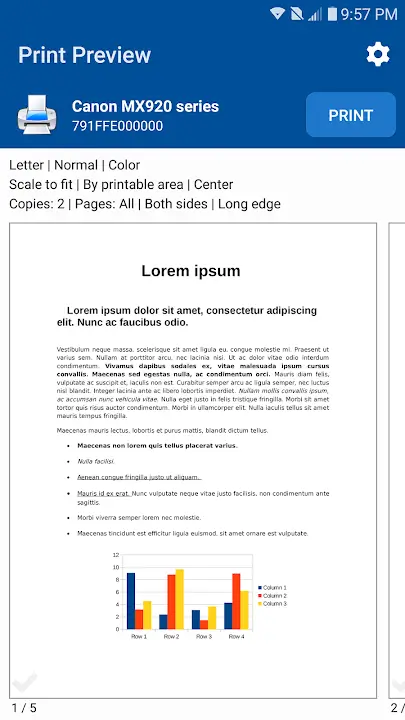
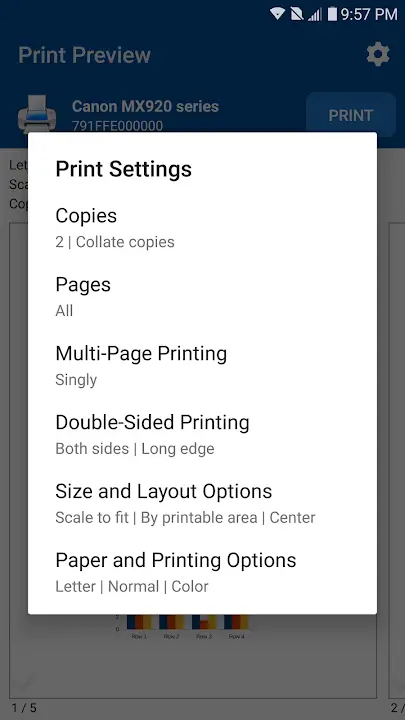
NokoPrint excels in providing users with various customization options. Users can adjust print settings such as paper size, type, quality, and more to tailor the output according to their specific needs. The app even supports double-sided printing and different paper finishes, from matte to glossy, to achieve the desired aesthetic effect. These options not only enhance the print results but also optimize resource and time utilization.
User Experience
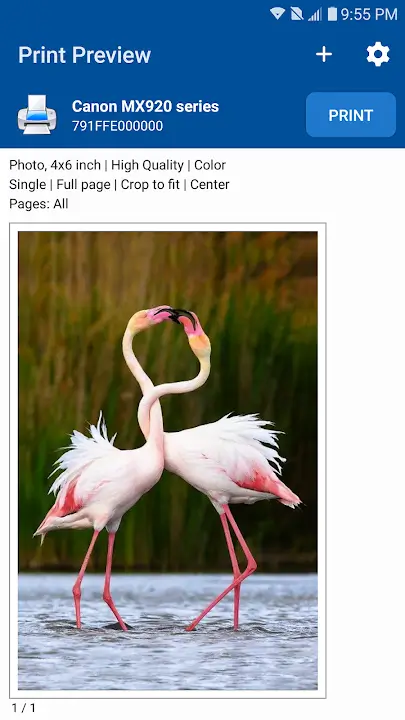
The user-friendly interface of NokoPrint makes it accessible for both beginners and experienced users. The app facilitates easy navigation through intuitive menus for selecting files, configuring settings, and processing print jobs. A built-in preview feature offers users a comprehensive view of the document or image before printing, ensuring accuracy and reducing errors and material waste.
Practical Applications
NokoPrint’s practicality shines in its ability to print from diverse sources such as electronic mail attachments, Google Drive, and even directly from web browsers. This flexibility is crucial for users who frequently need to print documents from various digital platforms and locations. Whether in a business setting or at home, NokoPrint adapts to the user's needs, providing an efficient solution for mobile printing.
Advantages and Limitations
One clear advantage of NokoPrint is its high compatibility with numerous printer brands, including notable ones like Epson and Brother, allowing broader usability. However, while the app is effective in many scenarios, its efficiency can depend on the network environment and printer model. Users should ensure their devices are adequately supported to achieve optimal printing results.
Conclusion: Enhanced Mobile Printing Experience
NokoPrint transforms the way Android users handle their printing tasks, bringing convenience and flexibility directly to their hands. Ideal for both personal and professional environments, it simplifies the printing process and offers robust customization options. With support for various file types and printing methods, NokoPrint emerges as a must-have application for those looking to enhance their mobile documents and photo printing experience. Android users interested in streamlining their printing tasks are encouraged to explore the application and download it from trusted sources for unparalleled convenience.
Information
- Size:64.65M
- Language:EN
- Version:5.28.8
- Ratings:6.1
- Vendor:NokoPrint LLC.
- Package ID:com.nokoprint