PrintBot
- Category:System Tools
- Updated:11 20, 2026
- Rating:6.4
Screenshots
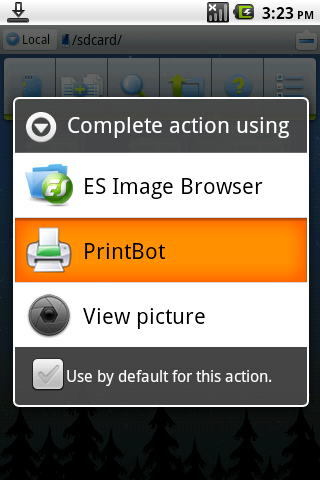
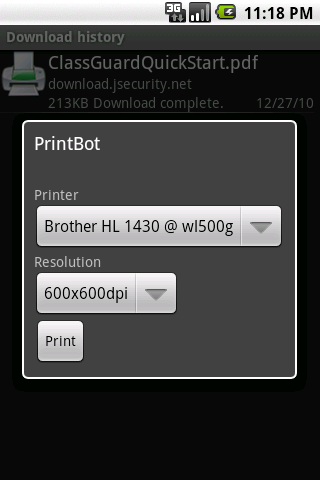
Introduction
PrintBot is an innovative Android application designed to streamline the printing process from your mobile device. With PrintBot, you can effortlessly print photos and documents directly from your Android device via Wi-Fi, eliminating the need for any computer-based software. It’s fully integrated with Android's printing capabilities, making it an appealing tool for users who regularly need to print on-the-go. Whether you’re at home or in the office, PrintBot is your gateway to hassle-free printing from various Android-supported applications, making it a compelling choice for efficient document handling.
Main Features of PrintBot
PrintBot stands out for its robust suite of features aimed at simplifying the mobile printing experience:
- Wide Printer Compatibility: PrintBot supports about 6000 printer models from leading manufacturers such as HP, Canon, Epson, Lexmark, Brother, and Samsung, ensuring wide accessibility.
- No Additional Software Needed: PrintPhotos and documents can be sent straight from Android devices without requiring any computer software installations, offering a seamless user experience.
- Diverse Printing Protocols: The app supports printing through JetDirect, LPR, and IPP protocols, and can automatically detect Bonjour printers for easy configuration.
- Free and Professional Versions: The free version allows up to three prints per month with a watermark on each page, while the professional version removes these limits for unlimited, watermark-free printing.
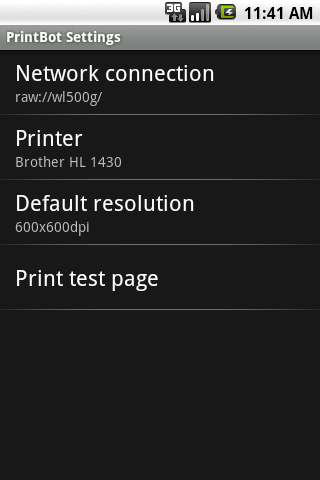
- - Ease of Setup: Users can enable the zenofx.com PrintBot service with simple steps from the app’s settings, complete with a Setup Help guide if needed.
User Experience and Interface
PrintBot offers a straightforward and user-friendly interface, ensuring even those new to mobile printing can navigate it with ease. The graphical user interface is intuitive, guiding users through printer setup and common tasks. The "Static Printer" option in the menu allows users to add printers that aren't automatically detected, expanding the versatility and adaptability of the app.
Practical Applications and Uses
This application is particularly beneficial for professionals who frequently work remotely or students who need to submit assignments at the last minute. By leveraging the simplicity of Wi-Fi printing, PrintBot enhances productivity by offering reliable and swift document processing without geographical constraints or cumbersome setups.
Compatibility and Requirements
PrintBot operates on a wide range of Android devices, democratizing access to extensive network printing without complicated installs. Its compatibility with most AirPrint™ enabled printers markedly broadens its usability across different environments, making it an invaluable tool in both personal and professional settings.
Conclusion and Download Information
Overall, PrintBot provides a comprehensive and flexible solution for Android users in need of reliable and convenient printing solutions. Its wide printer compatibility and integration with Android print functions set it apart as a must-have for both casual and heavy-duty print users. For those interested in improving their mobile printing capabilities, exploring the PrintBot download options available for Android devices is a worthy pursuit. Experience streamlined, efficient printing by downloading PrintBot today and unlock the full potential of mobile document management.
Information
- Size:1.27M
- Language:EN
- Version:7.1.3
- Ratings:6.4
- Vendor:zenofx.com
- Package ID:net.jsecurity.printbot