
File Recovery
- Category:System Tools
- Updated:11 20, 2026
- Rating:7.5
Screenshots

Introduction
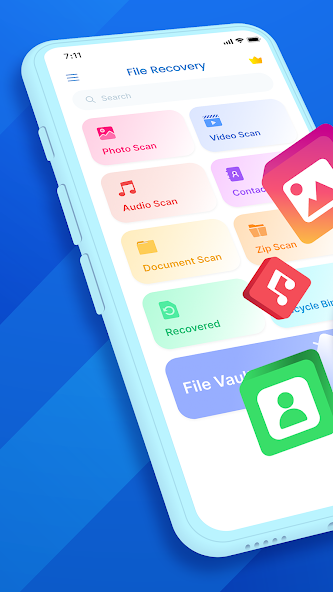
File Recovery is an Android application designed to help users recover lost or accidentally deleted files such as photos, videos, documents, and audio from their device. This user-friendly application eliminates the need for advanced technical skills or root permissions to recover data seamlessly. With its easy scanning options and robust recovery capabilities, File Recovery stands out as a reliable tool for data retrieval. Users can expect a straightforward interface, quick results, and the ability to manage recovered files efficiently.
Efficient Data Recovery Features
The main strength of File Recovery lies in its effective data retrieval features, which include:
- Quick and advanced scanning options that allow users to locate lost data rapidly.
- A deep scan feature that ensures comprehensive searches for deleted or hidden items within the system.
- Pre-recovery previews that let users view files before proceeding with restoration, thus confirming their choices.
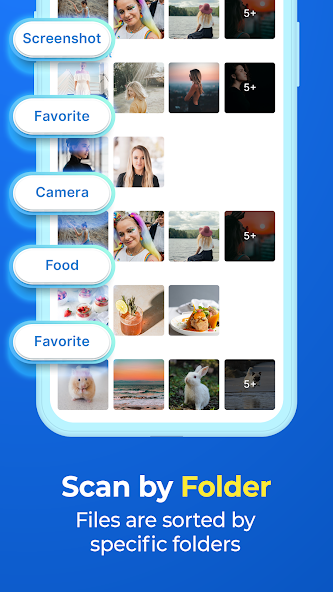
- An intuitive filtering system that sorts files by date, size, and folder, aiding in swift file location.
User-friendly Interface and Accessibility
File Recovery offers a clean and accessible interface ideal for users of all technical backgrounds. The application simplifies the complex task of data recovery into a few straightforward steps without the need for special permissions such as root access. This ensures the app is accessible and safe for all users.
Versatile Media Restoration Capabilities
File Recovery excels in retrieving various types of media files, including:
- Photos and videos, with guaranteed original quality after restoration.
- Audio files, ensuring that lost sound clips are quickly found and restored.
- Ensures users can permanently delete files no longer needed, maintaining privacy and data security.
Comprehensive File Management
Once files are recovered, they are neatly organized in a dedicated folder for easy access and management. Users can view, share, or further process their recovered data without hassle. This makes continuous data management straightforward and convenient.
Conclusion: Simplifying Data Recovery on Android
File Recovery offers Android users a practical solution for retrieving lost data with ease and efficiency. Its robust scanning capabilities, user-friendly interface, and versatile file recovery options make it an invaluable tool for anyone needing to restore important media or documents. For those looking to reclaim lost memories or important files, exploring the File Recovery application through its Android download information is a worthwhile step.
Information
- Size:19.12M
- Language:EN
- Version:5.5.8
- Ratings:7.5
- Vendor:Maxlabs File Tools
- Package ID:com.azmobile.file.recovery