Video Downloader
- Category:Video & Audio
- Updated:11 23, 2026
- Rating:7.1
Screenshots
Introduction
Video Downloader is a versatile Android application designed to meet the needs of users looking to save videos directly to their devices. This app allows users to download videos from a variety of online platforms, providing a simple way to access content offline. Android users find this tool particularly useful for creating personal video collections or accessing content when they have limited internet connectivity. Video Downloader makes saving videos easy and efficient, offering a seamless experience for those who frequently interact with online video content.
Main Features and Functions
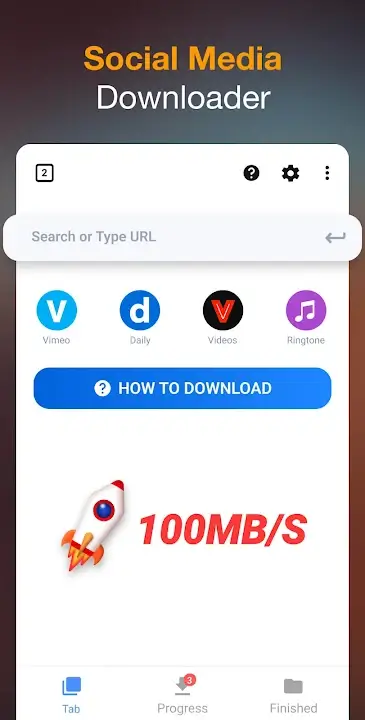
Video Downloader stands out with its robust functionalities designed for user convenience. It supports a wide range of online video platforms, enabling users to download videos easily. The application emphasizes speed and efficiency, ensuring a quick download process without compromising video quality. Additionally, users have the autonomy to select the resolution of the downloaded content, catering to various storage capabilities and display preferences.
Practical Applications
The practicality of Video Downloader is evident in its diverse applications. Users can compile educational videos for offline learning, create a repository of inspirational talks, or simply enjoy entertainment content without interruptions. Moreover, for frequent travelers or those with limited internet access, this app offers an ideal solution to have their favorite videos readily available on their Android devices.
User Experience
Video Downloader boasts an intuitive user interface that enhances user experience. Navigating through different features is straightforward, providing a hassle-free process for selecting, downloading, and managing video files. The app ensures stability regardless of how extensive the user's video library becomes, maintaining smooth operation and a clutter-free environment for all users, irrespective of their tech expertise.
Advanced Options and Customization
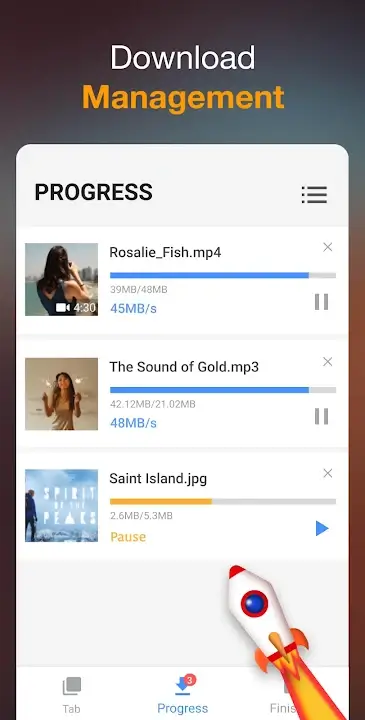
In addition to basic features, Video Downloader offers advanced options such as batch downloading—allowing multiple video downloads simultaneously. Users can pause and resume downloads based on their convenience, ensuring complete control over the downloading process. This flexibility makes the app a powerful tool for managing video content effectively.
Compatibility and Requirements
Video Downloader is compatible with a broad spectrum of Android devices, requiring minimal system resources to function optimally. This compatibility ensures that users with various device models can enjoy its benefits without encountering performance issues. The app’s design emphasizes lightweight operation, making it suitable for both high-end and budget-friendly Android phones and tablets.
Conclusion: Access Video Content Effortlessly
Video Downloader provides Android users with a valuable tool for enhancing their video content management. Its ability to efficiently download and store video content on any device makes it appealing to a wide audience, including educators, travelers, and casual viewers. As you explore the comprehensive downloading capabilities of Video Downloader, the ease and convenience it offers will become indispensable. Discover how this application can revolutionize your video viewing experience by downloading it from your preferred Android app source today.
Information
- Size:42.49M
- Language:EN
- Version:2.7.8
- Ratings:7.1
- Vendor:InShot Inc.
- Package ID:video.downloader.videodownloader