Microsoft Designer
- Category:Work & Study
- Updated:11 23, 2026
- Rating:9.0
Screenshots
Introduction
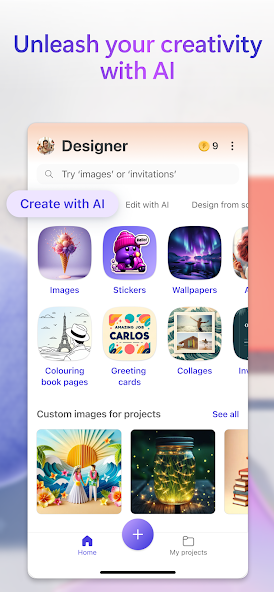
Microsoft Designer is an innovative Android application powered by AI, designed to help users create and edit visuals with ease. With Microsoft Designer, you can generate striking images, personalized greeting cards, and custom designs in seconds. The app harnesses generative AI to transform text into visually enthralling graphics and offers tools to refine photos, such as erasing unwanted objects or adjusting backgrounds. Whether you're crafting a festive holiday card or designing a standout social media post, Microsoft Designer provides a dynamic platform for unleashing your creativity.
AI-Powered Design and Photo Editing
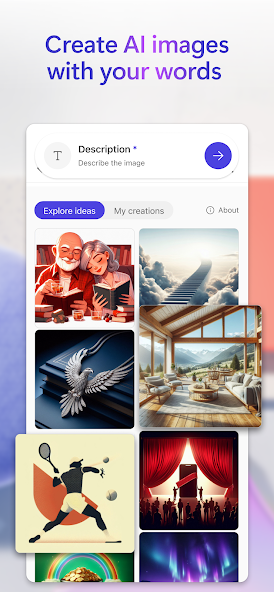
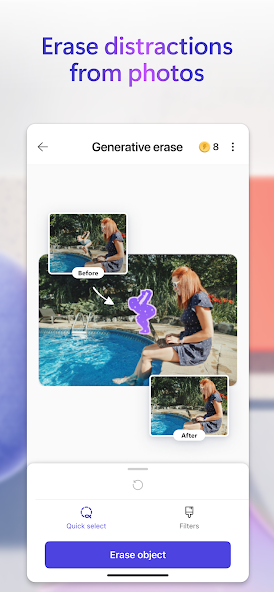
Microsoft Designer excels with its AI-driven capabilities that streamline the creative process. Users can describe their ideal image, and the application generates it, whether it's sci-fi art or surreal scenes. The generative erase function allows for seamless removal of unwanted elements from images, while its background removal tool makes it simple to focus on the subject. The app also provides functionalities like blurring backgrounds and adding filters to help users achieve professional-quality results effortlessly.
Create Personalized Designs
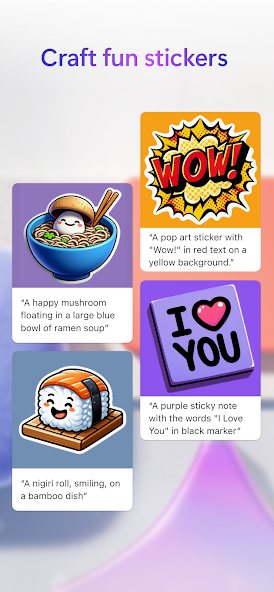
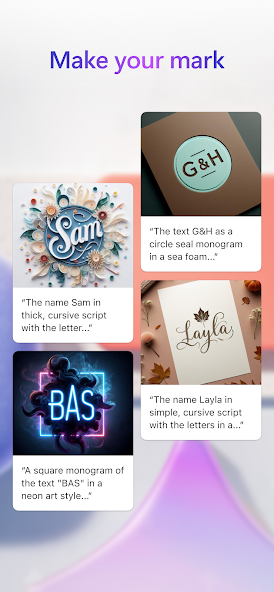
Beyond simple photo editing, Microsoft Designer lets users create personalized designs tailored to various occasions. From unique stickers that enhance social interactions to custom monograms for special events, the app's wide array of tools caters to diverse design needs. Users can also craft custom invitations, greeting cards, and social media posts, making every creation feel uniquely theirs.
Variety of Tools for Every Creative Need
Microsoft Designer isn't just limited to static images; it offers tools for creating a rich variety of visuals. Users can design custom wallpapers, eye-catching icons, and even coloring book pages for relaxation and fun. Collages can be crafted to bring together favorite memories, and designing banners can elevate online presence by catching viewers' attention across platforms.
Seamless Integration and Accessibility
Utilizing a Microsoft account, users receive 5 GB of free cloud storage for easy access to their designs across devices, ensuring their work is seamlessly integrated into their digital life. The app is available for free, making it accessible to anyone with creative ambitions looking to enhance their visuals with the power of AI.
Explore Creative Possibilities with Microsoft Designer
In conclusion, Microsoft Designer offers a robust platform for users to pursue a wide range of creative projects on Android. With AI-powered tools and an intuitive interface, it enables both amateurs and seasoned designers to craft professional-quality images and personalized designs with minimal effort. Whether you need to create bespoke greeting cards or polished social posts, Microsoft Designer is an excellent app to explore. Discover how the Microsoft Designer app can redefine your digital creativity by checking out its download options for Android today.
Information
- Size:41.69M
- Language:EN
- Version:1.2629403.8001.beta
- Ratings:9.0
- Vendor:Microsoft Corporation
- Package ID:com.microsoft.designer