Touch Macro Pro
- Category:System Tools
- Updated:11 19, 2026
- Rating:8.0
Screenshots
Introduction
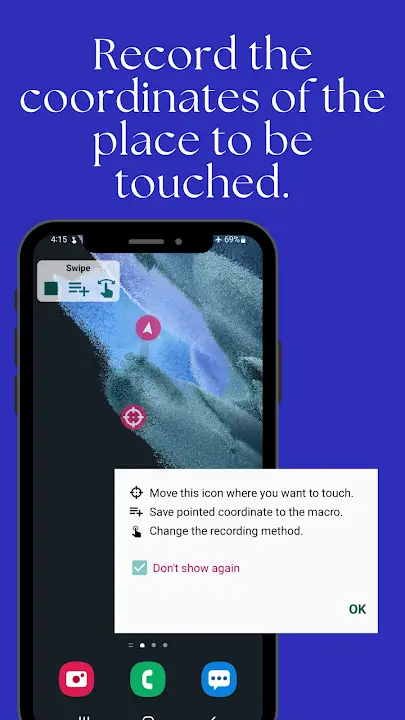
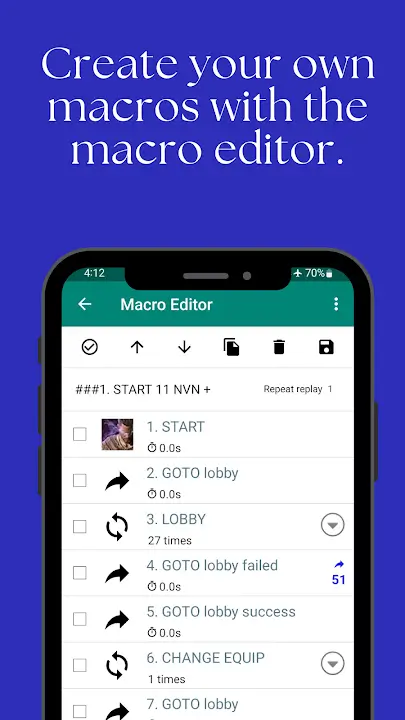
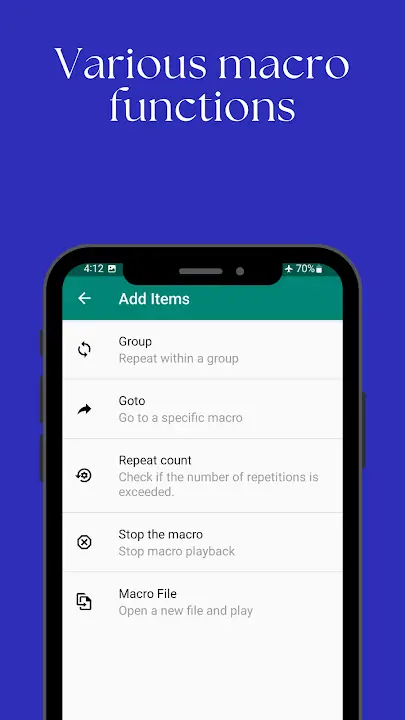
Touch Macro Pro is a versatile Android application designed to enhance task management through smart automation and conditional logic. This robust app is recognized for its user-friendly interface that simplifies task handling while offering seamless compatibility with major operating systems like Windows, macOS, and Linux. Users can expect an efficient workflow and improved productivity as Touch Macro Pro streamlines tasks with just a few taps. From adding new tasks to setting priorities and deadlines, this application makes complex task management accessible and intuitive for users of all backgrounds.
Key Features of Touch Macro Pro
Touch Macro Pro stands out with its clever integration of automation features, making task management both efficient and effective. Here's what users can expect from this application:
- A user-friendly interface enhances usability, allowing individuals to navigate the app effortlessly. Its intuitive design ensures that adding, editing, and managing tasks require minimal effort.
- The task addition process is straightforward, with easy access to define task details, set priorities, and establish deadlines through a few simple steps.
- Color-coded task lists and visual cues provide a clear overview of task statuses, enabling quick assessments of pending, completed, or overdue items.
- Despite its sophisticated capabilities, new users might need some time to master certain features like conditional logic and smart automation.
User Interface and Navigation
The application's interface is carefully crafted to offer a balance of user-friendliness and efficiency. Navigating through the app is straightforward, enabling users to access essential functions like task creation and reminders swiftly. Its low learning curve ensures that users can maximize the application's potential without a steep learning phase.
Performance Considerations and Limitations
While Touch Macro Pro offers powerful automation features, users should be mindful of a few constraints to ensure it meets their specific needs:
- It requires an internet connection for certain features and synchronization across multiple devices, presenting some challenges in offline environments.
- Heavy usage of automation may strain the resources of your Android smartphone, potentially impacting battery life and device performance.
- The app is currently only available for Android platforms, limiting its cross-platform functionality with iOS devices.
Conclusion: Enhance Your Task Management
Touch Macro Pro is an excellent choice for Android users seeking to elevate their task management experience through comprehensive automation and user-centric design. Whether you aim to streamline your workflows or manage tasks efficiently, this application offers unique advantages that cater to diverse user needs. If you're intrigued by its capabilities, consider exploring its Android download options to discover its full potential.
Information
- Size:10.09M
- Language:EN
- Version:4.2.7
- Ratings:8.0
- Vendor:jake77.
- Package ID:com.jake.touchmacro.pro