LazyBoard
- Category:System Tools
- Updated:11 23, 2026
- Rating:8.2
Screenshots
Introduction
LazyBoard is an innovative text expander keyboard designed to streamline communication with quick replies, canned responses, and customizable message templates. Available on Android, this application allows users to save frequently used text snippets to be inserted with a single tap across different platforms like WhatsApp, Gmail, Telegram, and more. Essential for customer support staff, social media managers, and online sellers, LazyBoard enables efficient, personalized, and varied communication without the repetitive typing effort.
Efficient Communication Tools
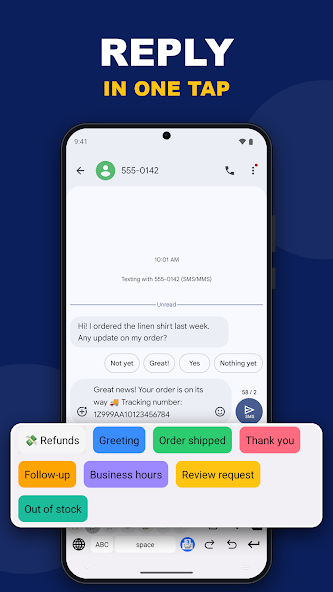
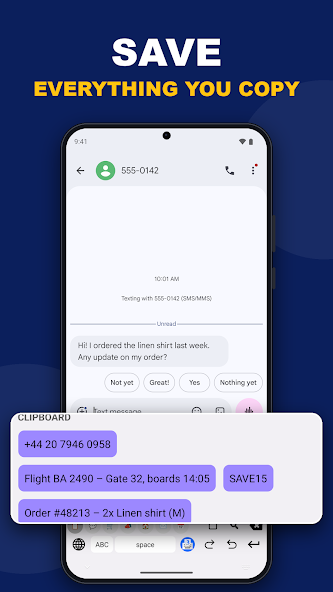
At its core, LazyBoard excels in transforming tedious, repetitive messaging into a swift process. By converting your most-used messages into colorful one-tap keys, you'll be able to respond to incoming queries rapidly. The application also includes a clipboard manager that automatically saves anything copied for easy pasting. Moreover, the clipboard widget enhances ease of access, allowing users to reach saved phrases directly from the home screen.
Customization and Organization
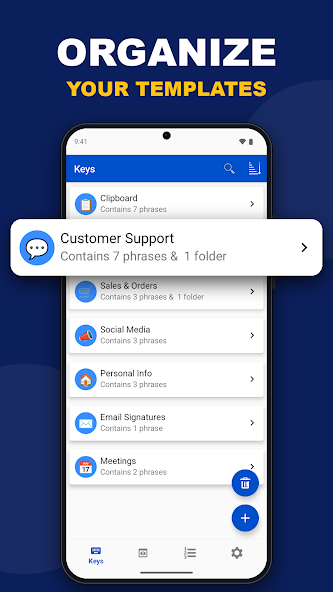
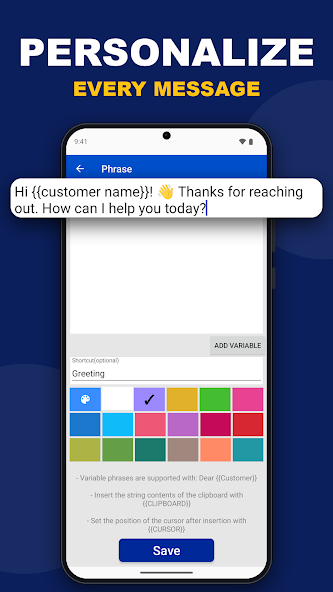
LazyBoard’s robust customization capabilities make it a standout application. Users can organize message templates using folders and subfolders based on topic areas such as support and sales, ensuring systematic and efficient usage. For personalization, dynamic variables like {{customer name}} allow each communication to cater to individual recipients without sounding generic. Furthermore, the app supports random phrases to keep your responses fresh and unique.
User-Friendly Interface
The application’s interface is intuitively designed with features like a dark mode, which is both visually appealing and comfortable for extended use. The built-in alphanumeric keyboard ensures users can switch effortlessly between typing custom messages and using saved templates. Additionally, a trash folder allows for the recovery of mistakenly deleted phrases and folders, ensuring no valuable data is lost.
Advanced Features with Premium Upgrade
For users seeking to further maximize their productivity, LazyBoard offers a Premium upgrade featuring unlimited phrases and photos, export and import options for backing up templates, and custom color settings for each phrase. This capability ensures a high degree of personalization and functionality, catering to both individual users and team environments looking to streamline their communication processes.
Conclusion: Enhance Your Messaging Efficiency
LazyBoard stands as a comprehensive solution for anyone who frequently engages in repetitive messaging tasks. Its ability to save and deploy text with ease, together with an interface that supports organizational needs, makes it an ideal choice for businesses and individuals alike. Whether you're in customer support or manage social media, LazyBoard provides the tools necessary for efficient communication. Discover its capabilities by exploring the download options for LazyBoard APK on Android today.
Information
- Size:3.51M
- Language:EN
- Version:2.7.25
- Ratings:8.2
- Vendor:Elsayed Hussein Abdallah
- Package ID:com.bokhary.lazyboard